
How to Apply for Ontario Works (Welfare) Online: 2026 Screen-by-Screen Guide
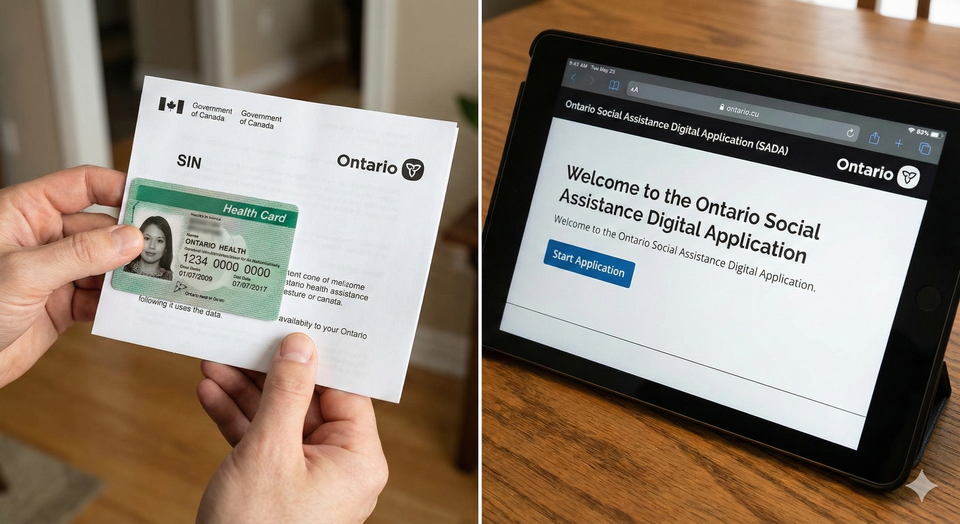
In 2026, the Ontario government has fully transitioned to the Social Assistance Digital Application (SADA). While the system is designed to be "fast," many people find the government’s wording confusing and get stuck on the financial disclosure sections. If you make a mistake on your asset declaration, your application could be flagged for a manual audit, delaying your first payment by weeks.
When you are down to your last $50 and your Benefit Payment Dates are far off, you cannot afford a delay. This guide is a screen-by-screen roadmap for the 2026 Ontario Works (OW) online application.
The most common reason for an immediate online rejection in 2026 is exceeding the Asset Limit. Most applicants think "assets" only means cash in the bank. In reality, ServiceOntario’s algorithm looks at everything you own.
1. The 2026 Asset Thresholds
As of early 2026, the asset limits remain a "hard ceiling." If you are even $1 over, the system will block your application.
| Family Composition | 2026 Asset Limit |
| Single Person | $10,000 |
| Couple (No Children) | $15,000 |
| Single Parent (1 Child) | $10,500 |
| Couple (1 Child) | $15,500 |
2. What is EXEMPT (The "Invisible" Assets)
You can own certain high-value items that do not count toward your $10,000 limit. This is the knowledge that saves your application:
- Primary Residence: The home you live in is 100% exempt.
- One Primary Vehicle: One car used for daily life is usually exempt, regardless of value (within reasonable limits).
- RDSPs and RESPs: Money saved for a disability or a child's education is generally not counted as an asset you can "spend" now.
- Prepaid Funerals: Up to a specific limit, these are exempt.
The Strategy: If you have $11,000 in cash, you are ineligible. However, if you use $2,000 to pay for necessary dental work or a car repair before you apply, your assets drop to $9,000, and you become eligible.
Screen-by-Screen: The 2026 SADA Roadmap
Screen 1: The "Before You Begin" Checklist
The first screen asks if you have your documents ready. Do not click 'Next' until you have:
- Your Social Insurance Number (SIN).
- Your Ontario Health Card (OHIP).
- Your exact rent amount and landlord's contact info.
- Your total account balances for every bank account you own.
Screen 2: Rights and Responsibilities
This is the legal "fine print." By clicking agree, you are giving Ontario Works permission to use Automated Data Matching with the CRA and Equifax. In 2026, they will see your bank interest and employment income automatically. If you hide a "side hustle" you've been doing via BetterPayJobs.ca, the system will flag it.
Screen 3: The "Financial Need" Screener
The system asks: "Do you have enough money to cover your immediate basic needs (food/housing)?"
- The Logic: If you answer "Yes," the system may redirect you to a regular job board. To qualify for OW, you must be in "Financial Need."
Screen 4: Personal Information & Status
You must enter your status in Canada.
- Newcomers: If you are a Refugee Claimant or on a specific Work Permit, you are eligible for OW in 2026. If you have a sponsor, the system will ask for their info, as they are legally responsible for you first.
Screen 5: The "Shelter" Section
This is where your monthly payment amount is determined.
- Rent/Mortgage: Enter your total cost.
- Utilities: Even if your heat and hydro are separate, enter the average monthly cost here.
- Smart Link: If your rent is too high for the OW allowance, see our Rent Bank List to cover the gap.
Screen 6: Asset Declaration
This is the "Danger Screen." You must list every bank account, RRSP, and vehicle.
- Tip: If you have a joint account with a parent or a spouse you are separated from, you must still list it and explain the situation to your caseworker later.
Part 1: How Much Will You Get in 2026?
The amount you receive is divided into two parts: Basic Needs and Maximum Shelter.
| Family Size | Basic Needs | Max Shelter | Total Max (Monthly) |
| Single Person | $343 | $390 | **$733** |
| Couple (No Kids) | $494 | $642 | **$1,136** |
| Single Parent (1 Child) | $360 | $642 | **$1,002 + OCB** |
The "OCB" Factor: If you have children, you also receive the Ontario Child Benefit (OCB) and the Canada Child Benefit (CCB). While OW seems low ($733), a single parent with one child can often bring in over **$2,100 per month** when all benefits are stacked.
Part 2: The "Participation Agreement" (2026 Update)
Ontario Works is an "Employment-First" program. Within 30 days of approval, you must sign a Participation Agreement.
- What is required: You must prove you are looking for work.
- The Shortcut: Using BetterPayJobs.ca counts as active job searching. Keep a log of every job you apply for on the platform to show your caseworker.
- Exemptions: If you have a medical reason or are caring for a young child, you may be exempt from the "Job Search" requirement, but you must still meet with your caseworker.
Apply for Ontario Works
To apply for Ontario Works (OW) online in 2026: Visit the official Social Assistance Digital Application (SADA) portal. You will need your SIN, Health Card, and 90 days of bank statements. Most applications take 20 minutes to complete. Once submitted, a caseworker will call you within 4 business days for a verification interview. If approved, payments are made monthly via direct deposit on the Ontario Works Payment Schedule.
Frequently Asked Questions (FAQ)
Q: Can I apply if I am already on Employment Insurance (EI)?
A: Yes, but your EI is deducted dollar-for-dollar from your OW. Usually, you only get OW if your EI payment is lower than the OW maximum (which is rare).
Q: What is the "Emergency Assistance" option?
A: If you are about to be homeless or are fleeing a domestic crisis, do not use the full SADA application. Click the "Emergency Assistance" button on the first screen. This provides 16 days of support and is approved much faster.
Q: My car is worth $15,000. Am I ineligible?
A: No. Your first vehicle is typically exempt regardless of value, as long as you need it for daily life or searching for work.
Q: Can I live with my parents and get OW?
A: Yes, but you will likely be classified as "Board and Lodging" rather than "Renter," which changes your monthly amount to approximately $604.
Q: Do I have to pay it back?
A: No. Ontario Works is a grant, not a loan. However, if you receive a "retroactive" payment (like a delayed EI check or a lawsuit settlement) for the same months you got OW, you may have to repay that portion.
About the Author
Jeff Calixte (MC Yow-Z) is a Canadian labour market researcher and digital entrepreneur specializing in government benefit data and cost-of-living support. As the founder of CanadaPaymentDates.ca and BetterPayJobs.ca, Jeff helps newcomers, students, and workers navigate the Canadian social safety net—from tracking CRA payment schedules to finding entry-level work.
Sources
- Ontario.ca: Social Assistance Digital Application (SADA) Portal
- MCCSS: Ontario Works Policy Directives - Asset Limits 2026
- City of Toronto: 2026 Ontario Works Rate Table
Note
Social assistance payment dates and benefit rates are determined by your provincial Ministry of Social Services (e.g., MCCSS in Ontario, Seniors and Housing in Alberta). These benefits are not managed by the CRA. All dates in this guide are verified against official provincial schedules. We recommend confirming the status of your file directly with your caseworker or via your provincial online portal (e.g., MyBenefits,..