
My CRA Account Locked? How to Reset Your 2026 CRA Login Fast
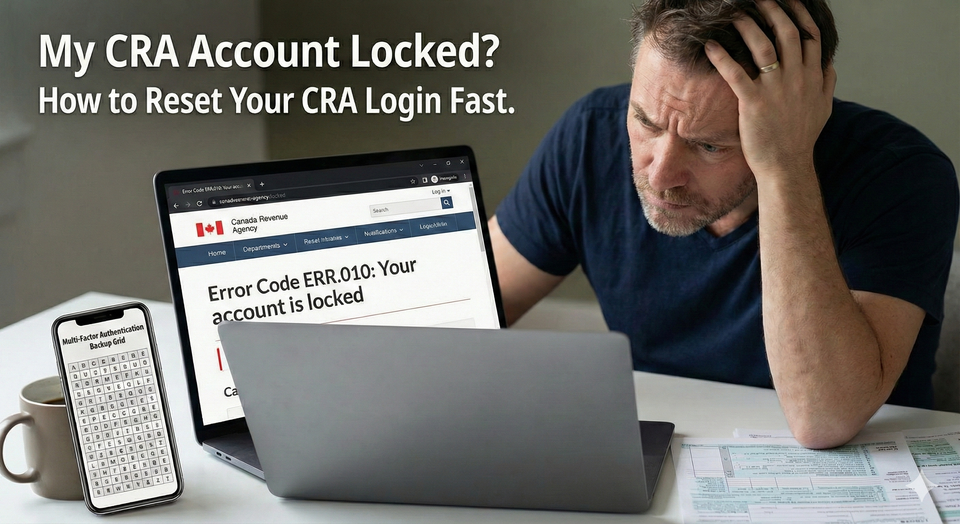
It is the ultimate tax season nightmare: you sit down to file your return, but after three attempts at a password you thought you remembered, your screen flashes the dreaded message: "Your account is locked." In 2026, the CRA has tightened security even further, making it easier than ever to get booted from the system for a simple typo or an outdated security question.
The "Street Angle" for 2026 is that calling the CRA Helpdesk is a last resort—not the first step. With wait times hitting record highs in February and March, you need the "Bank Partner Bypass" and the "Registration Re-Run" strategy. These hacks allow you to reset your access in minutes rather than days.
As part of our Canada Payment Guide, this guide provides the exact fixes for 2026 error codes and the step-by-step instructions to unlock your account without ever talking to a government agent.
1. The 30-Minute "MFA" Soft Lock (2026 Rules)
Before you panic, check if you are under a Soft Lock or a Hard Lock.
- The Soft Lock: If you enter the wrong Multi-Factor Authentication (MFA) passcode (the 6-digit code sent to your phone) too many times, the CRA will lock you out for exactly 30 minutes.
- The Strategy: Do NOT call. Close your browser, clear your cache, and wait for the clock to run out.
- The Warning: If you fail this process three times in a row, the soft lock turns into a Hard Lock, which requires manual intervention.
2. Common 2026 Error Codes & Instant Fixes
How do I fix CRA Error Codes ERR.010 and ERR.021? > ERR.010 (Service Unavailable): This usually means the CRA system is down for maintenance (typically 3 AM to 6 AM ET) or your browser cache is corrupted. Fix: Switch to a different browser (e.g., switch from Chrome to Edge/Safari) or use a private/incognito window.ERR.021 (Forbidden/Locked): This means your credentials have been revoked or your account is permanently locked due to security concerns. Fix: Do not try to log in again. Instead, use the "Sign-In Partner" option via your online bank or go through the "Register for a CRA Account" process again to create a new User ID that links to your existing SIN.
3.Login Recovery Hacks
This deep dive identifies the specific "Self-Serve" maneuvers to get you back into the system in under 15 minutes.
1. The "Bank Partner" Bypass (The Fastest Way)
Login to CRA via bank when locked out.
- The Hack: Your CRA User ID and your Bank Sign-In Partner are two separate "doors" to the same room.
- The Strategy: If your CRA User ID is locked, you can often still enter through the Sign-In Partner (Interac) option using your TD, RBC, or Scotiabank credentials.
- The Move: This bypasses the locked User ID entirely and allows you to access your Notice of Assessment immediately.
2. The "Registration Re-Run" Strategy
If you have forgotten your security questions, the "Forgot Password" link won't help you.
- The Hack: Re-registering as a "New User".
- The Strategy: Go to the CRA login page and click "Register" as if you've never had an account. Enter your SIN, DOB, and the amount from Line 15000 of your last tax return.
- The Move: The system will recognize your SIN and allow you to create a brand-new User ID and password, effectively overwriting the old locked account.
3. The "MFA Backup" Rule (New for February 2026)
Starting in February 2026, the CRA requires a backup MFA option.
- The Hack: The Passcode Grid.
- The Strategy: If you lose your phone or change your number, you will be permanently locked out unless you have a backup.
- The Move: Log in while you still can and generate a "Passcode Grid." Print it and keep it with your Tax Checklists. This grid acts like a "Bingo card" to get you in when your phone fails.
4. Browser "Fingerprinting" Issues
If you see ERR.010 constantly, it’s not the CRA—it’s your computer.
- The Strategy: The CRA’s 2026 security protocols hate VPNs and certain ad-blockers.
- The Move: Turn off your VPN and use a "Clean" browser (like a freshly installed version of Microsoft Edge) specifically for CRA tasks.
4. Summary: Which Recovery Method Should You Use?
| Problem | Best Solution | Time to Fix |
| Forgot Password | "Forgot Password" link + Security Questions | 5 Mins |
| Account Locked (ERR.021) | Sign-In Partner (Bank) Bypass | 2 Mins |
| Forgot Security Questions | Re-Register for a New CRA Account | 15 Mins |
| MFA Code Not Arriving | Switch to Backup Passcode Grid | 1 Min |
| CRA Website Down (ERR.010) | Switch Browser / Clear Cache | 2 Mins |
CRA Account Locked 2026
How do I unlock my CRA My Account if it is locked in 2026? You do not always need to call the CRA. If you are locked out due to forgotten security questions or an expired password, you can re-register for a new CRA User ID using your SIN and information from your last tax return (Line 15000). Alternatively, you can bypass the lock by using the Sign-In Partner option to log in via your online bank. If you are locked out because of too many incorrect MFA codes, wait 30 minutes for the temporary lock to expire before trying again.
Frequently Asked Questions (FAQ)
Q: Can a tax preparer unlock my account for me?
A: No. Only the account holder or a CRA agent can unlock a personal My Account. However, an Authorized Representative can access your info through their own "Represent a Client" portal even if your personal login is locked.
Q: Why was my account "Revoked" without me doing anything?
A: This usually happens during a "Preventative Security Lockout" if the CRA detects that your email or password was found in a 3rd party data breach. You must re-register or use a Sign-In Partner to regain access.
Q: Does the "Bank Sign-In" share my banking info with the CRA?
A: No. The bank only confirms your identity to the CRA. The CRA cannot see your balance or transactions.
About the Author
Jeff Calixte (MC Yow-Z) is a Canadian labour market researcher and digital entrepreneur specializing in government benefit data and cost-of-living support. As the founder of CanadaPaymentDates.ca and BetterPayJobs.ca, Jeff helps newcomers, students, and workers navigate the Canadian social safety net—from tracking CRA payment schedules to finding entry-level work.
Sources
- Canada.ca: CRA account help – Locked account
- Canada.ca: Multi-factor authentication (MFA) – CRA account help
- CRA News: Avoid tax season surprises by keeping your CRA account up to date (2026)
Note
Official 2026 payment dates and benefit amounts are determined by the Canada Revenue Agency (CRA) and provincial governments. While we strive to keep this information current, government policies and schedules are subject to change without notice. All data in this guide is verified against official CRA circulars at the time of publication and should be treated as an estimate. We recommend confirming the status of your personal file directly via CRA My Account or by calling the CRA benefit line at 1-800-387-1193.