
T2200 Form Guide 2026: The "Detailed Method" for WFH Expenses
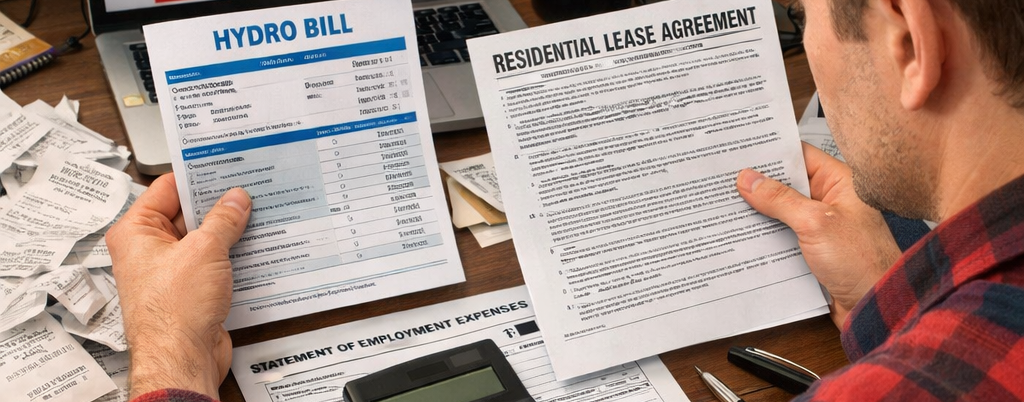
For three glorious years during the pandemic, the Canada Revenue Agency (CRA) gave Canadian workers a gift: the "Flat Rate Method."
It was the easiest tax deduction in history. You simply checked a box that said "I worked from home due to COVID-19," claimed $2 a day (up to $500), and the government sent you money. No receipts, no calculations, and no awkward conversations with your boss. It was free money.
In 2026, that party is officially over.
For the 2025 tax year (which you are filing now in 2026), the Flat Rate method has been completely eliminated. The CRA has returned to the pre-pandemic rules, which are far stricter but potentially much more lucrative.
If you work from home—whether fully remote or hybrid—and you want to lower your taxes this year, you must use the Detailed Method. This requires receipts, precise math, and most importantly, a specific form signed by your employer: the T2200 (Declaration of Conditions of Employment).
Most employees are too lazy to do this. They see the paperwork, panic, and skip the deduction entirely, effectively donating hundreds (or thousands) of dollars to the government. Do not be one of them.
This is the Official 2026 T2200 Guide. We are going to break down exactly how to get your employer to sign the form, the "Hydro Bill Math" that proves it’s worth thousands, and why renters are the biggest winners of this tax change.
1. The New Reality: Detailed Method Only
The T2200S (Short Form) is gone. You need the full T2200.
To understand why this matters, you need to look at your potential refund. The old Flat Rate capped out at a $500 deduction. For someone in a high tax bracket, that was worth maybe $150 in actual cash.
The Detailed Method has no cap. If you pay high rent in Toronto or Vancouver, your deduction could easily exceed $4,000 or $5,000. That is a tax refund of $1,500+ in your pocket.
The Three Golden Rules for 2026
To claim home office expenses this year, you must meet three strict conditions set by the CRA:
- Work from Home: You must have worked from home more than 50% of the time for a period of at least 4 consecutive weeks.
- Example: If you worked remotely for all of January and February (8 weeks), you qualify, even if you went back to the office in March.
- Payment Requirement: Your employer required you to pay for your own expenses.
- The Catch: If your employer reimbursed you for your internet bill, you cannot claim it. Double-dipping is tax fraud.
- The Form: You must have a completed and signed Form T2200 from your employer.
Crucial Update: A major point of confusion is the word "required." In 2026, even if your "Work From Home" arrangement is voluntary (i.e., you chose to work remotely, but your boss formally agreed to it), the CRA accepts this as being "required" for tax purposes. Do not let your HR department tell you otherwise.
2. The "Hydro Bill Math": Why Renters Win Big
Is it worth the paperwork? If you rent, the answer is a massive YES.
The Detailed Method allows you to claim a percentage of your actual household bills. The magic number is your Workspace Percentage. This is where the math gets exciting (and profitable).
Step A: Calculate Your %
You need to measure your workspace relative to your total home size.
- Scenario: You rent a 1,000 sq. ft. apartment. You use a spare bedroom (150 sq. ft.) exclusively for work.
- Calculation: 150 / 1,000 = 15%.
- Result: You can deduct 15% of all eligible household expenses.
Step B: The "Renter's Goldmine" Calculation
Here is the math for a standard renter in a major Canadian city earning $60,000 a year. Watch how fast the numbers add up.
| Expense | Monthly Cost | Annual Cost | Claimable % (15%) | Deduction Value |
| Rent | $2,600 | $31,200 | 15% | **$4,680** |
| Hydro (Electricity) | $120 | $1,440 | 15% | **$216** |
| Heat/Gas | $90 | $1,080 | 15% | **$162** |
| Home Internet | $85 | $1,020 | 15% | **$153** |
| Water | $45 | $540 | 15% | **$81** |
| TOTAL DEDUCTION | $5,292 |
The Payoff:
A $5,292 deduction reduces your taxable income directly.
If you check our 2026 Canadian Tax Brackets guide, you will see that for someone earning $60,000, the marginal tax rate is roughly 29.65% (in Ontario).
- Tax Saved: $5,292 x 29.65% = **$1,569.07**.
This puts over **$1,500 cash** back in your pocket. That is enough to pay for a vacation, invest in your TFSA, or cover a month of rent. Compare that to the old "Flat Rate" refund of ~$100. The Detailed Method is 15x better for renters.
The Homeowner Disadvantage
If you own your home, the math is less impressive.
- The Rule: Salaried employees who own their home cannot claim mortgage interest, mortgage principal, property taxes, or home insurance.
- The Result: You can only claim utilities (Hydro, Heat, Internet). 15% of your utility bills might only equal $400-$600.
- Verdict: It is still free money, but verify if it's worth the hassle of chasing your boss for the form.
3. What You Can (and Cannot) Claim
Don't get audited for trying to write off your espresso machine.
The CRA is very specific about what counts as an "office expense." Just because you use it during work hours doesn't mean it's deductible.
YES: Eligible Expenses
- Utilities: Electricity, heat, water.
- Internet Access Fees: You can claim the monthly service fee.
- Rent: If you are a tenant.
- Maintenance & Minor Repairs: This includes fixing a lightbulb in the office or cleaning supplies used in the workspace.
- Office Supplies: Pens, paper, toner, sticky notes, folders. (Note: These are claimed separately on Line 22900 and technically do not require the square footage calculation—you claim 100% of the cost if used for work).
- Cell Phone Airtime: If your employer requires you to use your personal cell phone for calls, you can claim a portion of the plan cost (e.g., 50%).
NO: Ineligible Expenses
- Mortgage Payments: Neither interest nor principal is deductible for salaried employees.
- Furniture: You cannot claim the cost of your desk, ergonomic chair, or monitor. These are considered "Capital Expenses" (CCA), and employees cannot claim CCA.
- Internet Connection Fees: The one-time fee to hook up the internet or lease the modem is not deductible.
- Morning Coffee & Food: Food is not an office supply.
- Commuting Costs: Gas, parking, or transit to get to the office on your "hybrid" days is never deductible.
- Wall Decorations: That motivational poster or painting is not deductible.
Tip: If you have income from other sources (like a side hustle), check our guide on Is My Income Taxable? 15 Sources of Non-Taxable Income in 2026 to ensure you aren't mixing up your deductions. Business owners play by different rules than employees.
4. The "Designated Room" vs. "Shared Space" Trap
Working at the dining table ruins your deduction.
The CRA distinguishes between a room used only for work and a room used for living.
Scenario A: The Designated Room (The Winner)
You have a spare bedroom or den where you work 9-5, and you close the door at 5 PM. You generally don't use this room for watching TV or eating.
- Calculation: Total Square Footage of Room / Total Home.
- Result: You claim the full percentage (e.g., 15%) of your bills for the entire year.
Scenario B: The Shared Space (The Loser)
You work at the kitchen table.
- The Problem: You only work there for 40 hours a week. The other 128 hours of the week, it's a kitchen.
- The Math: You must multiply your workspace percentage by the time used.
- Workspace: 10% (Kitchen is 10% of house).
- Time Used: 40 hours / 168 hours = 23.8%.
- Final Claim: 10% x 23.8% = 2.38%.
- Verdict: Your claim drops from 15% to 2%. This is why having a designated workspace is the single most important factor for maximizing this deduction.
5. How to Get the Form (The "HR Script")
Employers are lazy. Make it easy for them.
Your employer is not legally required to issue a T2200 unless it was agreed upon in your employment contract. If you demand it, they can say no. The key is to make it zero work for them.
The Strategy:
Do not send a blank form to HR and ask them to "figure it out." Pre-fill the form yourself with the correct information, so all they have to do is sign.
The Script to Email Your Boss:
"Hi [Manager Name],
Since I worked from home for [Number] days in 2025, I am eligible to claim employment expenses on my tax return. This could save me over $1,000 in taxes.
To do this, I need a T2200 form signed. I have already pre-filled the form based on our work arrangement to save you time.
Can you please review the attached PDF and sign Section 13?"
What to Pre-Fill:
- Question 1: "Did this employee's contract require them to pay their own expenses?" -> Yes.
- Question 6: "Did you require this employee to work from home?" -> Yes.
- Question 10: "Did this employee work for you during 2025?" -> Yes.
Once signed, save a digital copy. If you are locked out of your digital files or need to verify your employment status, check our guide on CRA My Account Locked? to ensure you can access your NOA later.
6. How to File: Step-by-Step
Do not mail the T2200 to the CRA.
The T2200 form is for your records only. You keep it in your drawer in case of an audit. To actually get the money, you need to file Form T777.
Step 1: Gather Your Bills
Download all 12 months of your hydro, gas, internet, and rent receipts. Put them in a digital folder labelled "2025 Tax Expenses."
Step 2: Complete Form T777
This form is called the "Statement of Employment Expenses."
- Enter your total home square footage.
- Enter your workspace square footage.
- Enter the total annual cost for each utility category.
Step 3: Enter on Your Return
Take the final "Allowable Deduction" number from the bottom of Form T777 and enter it on Line 22900 of your T1 General Income Tax Return.
If you file online using Netfile (which you should), the software will do this automatically. If you've lost your code, read our guide on CRA Netfile Access Code 2026 to retrieve it instantly.
7. Commission Employees: The Secret Weapon
Salespeople play by different rules.
If you work on commission (selling cars, real estate, software), the CRA is much more generous. You can claim almost everything a salaried employee claims, PLUS:
- Property Taxes: Yes, you can claim a % of your property tax bill.
- Home Insurance: Yes, you can claim a % of your house insurance premiums.
- Entertainment: In some cases, client entertainment (meals) is deductible (50%).
- Lease Costs: Car leasing costs are often deductible.
The Condition: You must sell goods or negotiate contracts. If you just earn a "bonus" but aren't in sales, you are a regular salaried employee.
8. Audit Proofing: Don't Panic
Employment expenses are a high-audit category.
The CRA knows people lie about their square footage. They often send out "Review Letters" in August asking for proof.
If you get audited, do not panic. They just want to see:
- The Signed T2200: This is the golden ticket. Without it, your claim is denied instantly.
- The Floor Plan: A rough sketch of your apartment showing the office dimensions.
- The Bills: A sample of your rent receipts and hydro bills.
If you have these three things, the audit will be closed in your favor.
Frequently Asked Questions (FAQ)
Q: Can I claim this if I was laid off partway through the year?
A: Yes. You can claim expenses for the period you were employed. If you are currently collecting benefits, remember that tax deductions only lower the tax on employment income. Check our Employment Insurance (EI) Canada 2026 Guide to see how severance or EI affects your taxable income.
Q: My employer refuses to sign. What can I do?
A: Legally, you cannot force them unless it's in your contract. However, you can remind them that it costs them $0 and carries no liability for the company. If they still refuse, you cannot claim the deduction. Do not fake the signature—that is tax fraud.
Q: Can I claim my cell phone?
A: Yes, but only the portion used for work. If your bill is $100/month and you use it 50% for business calls, claim $50. You cannot deduct the cost of buying the phone itself (capital cost).
Q: What if I renovated my office?
A: Maybe. If you painted the office, that is a "current expense" and is 100% deductible. If you tore down a wall to build the office, that is a "capital expense" and is not deductible. Stick to maintenance (cleaning, painting, repairs).
About the Author
Jeff Calixte (MC Yow-Z) is a Canadian labour market researcher and digital entrepreneur specializing in government benefit data and cost-of-living support. As the founder of CanadaPaymentDates.ca and BetterPayJobs.ca, Jeff helps newcomers, students, and workers navigate the Canadian social safety net—from tracking CRA payment schedules to identifying entry-level employment opportunities.
Sources
- Canada Revenue Agency: T4044 Employment Expenses Guide 2025
- CRA: T2200 Declaration of Conditions of Employment
- CRA: Eligibility criteria - Detailed method
Important Note on Employer Liability
When asking your employer to sign Form T2200, reassure them that they are not certifying the value of your expenses. By signing, they are simply certifying that you were required (or permitted) to work from home and pay for your own utilities. The accuracy of the dollar amounts (rent, hydro, internet) is 100% the responsibility of the employee, not the employer. The company bears no audit risk for the specific amounts you claim.